QLoRA in Machine Learning
Here is the blunt truth about fine-tuning large language models: until QLoRA came along, adapting a 65-billion-parameter model required a cluster of high-end GPUs that most teams simply could not afford. QLoRA (Quantized Low-Rank Adaptation) changed that equation entirely by combining 4-bit quantization of the frozen base model with LoRA's low-rank trainable adapters, making it possible to fine-tune a 65B model on a single 48 GB GPU.
Introduced by Dettmers, Pagnoni, Holtzman, and Zettlemoyer in May 2023, QLoRA introduced three technical innovations that work in concert: 4-bit NormalFloat (NF4) quantization -- an information-theoretically optimal data type for normally distributed weights; double quantization -- quantizing the quantization constants themselves to save an additional ~0.37 bits per parameter; and paged optimizers -- leveraging NVIDIA unified memory to gracefully handle GPU memory spikes during gradient checkpointing.
The result? QLoRA matches the performance of full 16-bit fine-tuning on standard benchmarks while reducing memory requirements by roughly 4x compared to LoRA and over 12x compared to full fine-tuning. For an Indian startup running on a budget of INR 2-3 lakh/month for compute, this is the difference between "we can fine-tune a 70B model" and "we need to settle for a 7B model." That is not a marginal improvement -- it is a category shift in what is economically feasible.
Today, QLoRA is the de facto standard for memory-efficient LLM fine-tuning. It powers the training behind countless open-source chat models, domain-specific assistants, and enterprise deployments where full fine-tuning budgets are simply not available.
Concept Snapshot
- What It Is
- A parameter-efficient fine-tuning method that combines 4-bit NormalFloat quantization of the frozen base model with Low-Rank Adaptation (LoRA) trainable adapters to enable LLM fine-tuning at drastically reduced memory cost.
- Category
- Model Training
- Complexity
- Advanced
- Inputs / Outputs
- Inputs: pretrained base model (e.g., LLaMA-2 70B) + task-specific training data + QLoRA config (rank, alpha, target modules). Outputs: QLoRA adapter weights (typically 0.1-1% of base model parameters) that can be merged with the quantized or full-precision base model.
- System Placement
- Sits in the fine-tuning stage of the ML training pipeline, after the base model has been pretrained and training data has been curated. Upstream of model evaluation, alignment (DPO/RLHF), and deployment.
- Also Known As
- Quantized LoRA, 4-bit LoRA, QLoRA fine-tuning, QLORA
- Typical Users
- ML Engineers, NLP Engineers, Applied Researchers, AI Startup Engineers, Fine-tuning Practitioners
- Prerequisites
- LoRA (Low-Rank Adaptation), Quantization basics (INT8, INT4, FP16), Transformer architecture (attention layers, MLP blocks), Backpropagation through quantized weights, GPU memory management
- Key Terms
- NF4NormalFloatdouble quantizationpaged optimizersblockwise quantizationlow-rank adapterLoRA rankLoRA alphabitsandbytesPEFT
Why This Concept Exists
The GPU Memory Wall
Fine-tuning a large language model means loading the full model weights, computing forward and backward passes, and storing optimizer states. For a 65B-parameter model in 16-bit precision, this requires approximately:
- Model weights: 65B x 2 bytes = ~130 GB
- Optimizer states (AdamW): 65B x 8 bytes = ~520 GB (two momentum buffers + variance)
- Gradients: 65B x 2 bytes = ~130 GB
- Activations: Variable, but easily 50-100 GB with gradient checkpointing
Total: over 800 GB of GPU memory for full fine-tuning. That is 10 A100 80GB GPUs at minimum. At current cloud rates, that is roughly $30/hour (~INR 2,500/hour), or ~INR 60,000 for a single 24-hour training run. For a startup iterating on 20-30 experiments to get a fine-tune right, the costs add up to lakhs of rupees.
LoRA Helped, But Not Enough
LoRA (Hu et al., 2021) was a breakthrough: instead of updating all 65B parameters, inject small low-rank matrices into attention layers and train only those. This reduces trainable parameters to ~0.1% of the original. But LoRA still requires loading the full 16-bit base model into GPU memory. For a 65B model, that is still 130 GB just for the frozen weights -- beyond the capacity of any single consumer or even most professional GPUs.
The QLoRA Insight
Dettmers et al. (2023) asked a deceptively simple question: what if we could load the frozen base model in 4-bit precision instead of 16-bit, but still backpropagate through it accurately enough to train LoRA adapters without quality loss?
The challenge was that naive 4-bit quantization introduces too much error. Round-trip quantization noise corrupts gradient signals and degrades the fine-tuned model. The paper's key contribution was showing that with the right 4-bit data type (NF4), the right additional compression (double quantization), and the right memory management (paged optimizers), you could achieve fine-tuning quality indistinguishable from full 16-bit LoRA.
Key Takeaway: QLoRA exists because LoRA solved the trainable parameter problem but not the frozen weight memory problem. QLoRA attacks the remaining bottleneck by quantizing the frozen base model to 4-bit precision while preserving gradient fidelity through carefully designed quantization schemes.
Core Intuition & Mental Model
The Analogy: Compressed Reference Library
Imagine you are a student writing a research paper. You have access to a massive reference library (the pretrained LLM), but you cannot carry all the books to your desk. Full fine-tuning is like photocopying the entire library and annotating every page. LoRA is like bringing the full library to your desk but only writing sticky notes on a few key pages. QLoRA is like bringing a highly compressed summary of the library (the 4-bit quantized weights) and still writing the same sticky notes (LoRA adapters) -- the quality of your annotations is the same, but you only need a small desk.
The magic is that the compressed summary, while lossy, preserves enough information to compute accurate gradients for the sticky notes. The base model weights are never updated -- only the LoRA adapters learn. So the quantization noise in the frozen weights, while real, does not accumulate across training steps the way it would if you were also updating the base weights.
Why 4-bit Works Here
This is the subtle part. Quantizing to 4 bits sounds extreme -- you are going from 65,536 representable values (FP16) to just 16 levels. Surely the gradient signals would be destroyed?
The insight is twofold. First, pretrained LLM weights follow an approximately normal distribution (this has been empirically verified across architectures). NF4 is designed specifically for this distribution, placing its 16 quantization levels at the optimal points to minimize expected quantization error for normally distributed data. Second, during backpropagation, QLoRA dequantizes the 4-bit weights back to BF16 before computing gradients. The LoRA adapters receive gradients in full precision. The quantization error acts as a small, fixed perturbation that the low-rank updates learn to compensate for.
Think of it this way: the 4-bit model is a slightly noisy version of the 16-bit model, but the noise is consistent and bounded. The LoRA adapters learn in the presence of this noise, and the resulting fine-tuned model performs as if the noise were never there.
Mental Model: QLoRA = compressed storage (NF4) + precise computation (BF16 dequant for gradients) + efficient learning (LoRA adapters). The 4-bit weights are a memory optimization, not a computational one -- arithmetic always happens in higher precision.
Technical Foundations
NormalFloat 4-bit Quantization (NF4)
The core innovation of QLoRA is the NF4 data type. Let's build up to it.
Observation: Pretrained neural network weights are empirically normally distributed with zero mean. For a normally distributed random variable , the information-theoretically optimal -bit quantization places quantization bins at the quantiles of the distribution.
For a 4-bit data type ( levels), NF4 computes 16 quantile values such that each bin captures exactly of the probability mass of a standard normal :
where is the inverse cumulative distribution function (quantile function) of the standard normal. To handle the asymmetry of having an even number of levels but needing to represent zero exactly, QLoRA uses a asymmetric construction: 8 negative levels, zero, and 7 positive levels, normalized to the range.
Before quantizing a weight tensor , it is normalized blockwise:
Each normalized weight is then mapped to its nearest NF4 quantile value.
Blockwise Quantization
Weights are divided into blocks of size (typically ). Each block has its own absmax scaling constant :
The quantized representation for weight in a block is:
Dequantization recovers the approximate weight:
Double Quantization
The blockwise scaling constants consume memory: with block size and 32-bit constants, this adds bits per parameter. Double quantization quantizes these constants themselves to 8-bit floats (FP8) with a second-level block size of :
Compared to single quantization (4.5 bits per parameter), double quantization saves approximately 0.37 bits per parameter. For a 65B model, this translates to about 3 GB of memory savings.
Paged Optimizers
During training, GPU memory usage can spike temporarily (e.g., during gradient checkpointing recomputation). QLoRA uses NVIDIA's unified memory feature (via cudaMallocManaged) to allow optimizer states to be paged between GPU and CPU memory automatically:
- When GPU memory is sufficient, optimizer states stay on the GPU
- When a spike occurs, the CUDA driver automatically evicts pages to CPU RAM
- When GPU memory frees up, pages are brought back transparently
This prevents OOM errors during training without the overhead of manual CPU offloading.
Memory Comparison
For a 65B-parameter model:
| Method | Precision | Memory (Weights) | Memory (Total) | GPUs Required |
|---|---|---|---|---|
| Full Fine-tuning | FP16 | 130 GB | ~800 GB | 10+ A100-80GB |
| LoRA | FP16 base + FP16 adapters | 130 GB | ~160 GB | 2-3 A100-80GB |
| QLoRA | NF4 base + BF16 adapters | ~33 GB | ~41 GB | 1 A100-48GB |
Internal Architecture
QLoRA's architecture has three layers that work together: the quantized base model (frozen, stored in NF4), the LoRA adapter modules (trainable, stored in BF16), and the paged optimizer managing gradient states. During the forward pass, NF4 weights are dequantized on-the-fly to BF16 for computation. During the backward pass, gradients flow through the dequantized weights to update only the LoRA adapter parameters. The optimizer states (Adam momentum and variance) exist only for the small adapter weights.
The interplay between these components is critical. The base model never updates -- its 4-bit representation is fixed throughout training. The LoRA adapters are injected into specific layers (typically attention projections: Q, K, V, and output) and trained in full BF16 precision. The paged optimizer handles memory spikes by leveraging CPU-GPU unified memory pages.
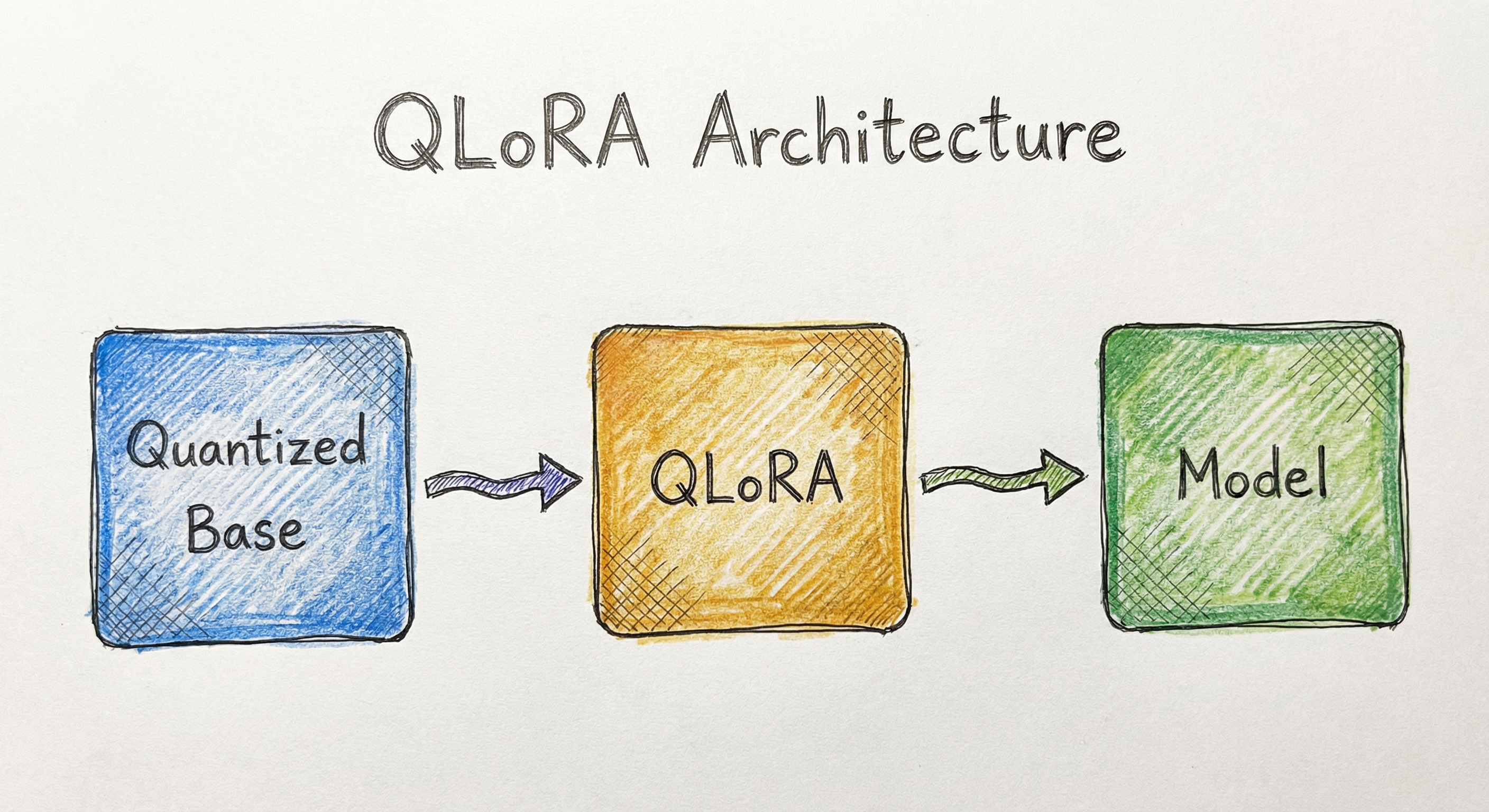
This architecture achieves something remarkable: the computational graph is identical to standard LoRA fine-tuning (same loss landscape, same gradient flow), but the memory footprint is slashed by quantizing the majority of stored weights. The LoRA adapters, which are the only parameters receiving gradient updates, remain in full precision throughout.
Key Components
NF4 Quantized Base Model
Stores the frozen pretrained weights in 4-bit NormalFloat format with blockwise absmax scaling. During forward and backward passes, weights are dequantized on-the-fly to BF16 for computation. This is the primary memory saving: a 65B model goes from ~130 GB (FP16) to ~33 GB (NF4 + double quantization constants).
Double Quantization Constants
The absmax scaling constants for each quantization block (64 weights) are themselves quantized to FP8 with a second-level block size of 256. This reduces the overhead of storing scaling constants from 0.5 bits/param to ~0.127 bits/param, saving approximately 3 GB for a 65B model.
LoRA Adapter Modules
Low-rank matrices and injected into target layers (typically attention Q, K, V, O projections). Stored and trained in BF16 precision. With rank on a 65B model, adapters add only ~160 MB of trainable parameters -- less than 0.2% of the base model.
Paged AdamW Optimizer
Maintains first and second moment estimates (Adam states) for the LoRA adapter parameters only. Uses NVIDIA unified memory (cudaMallocManaged) to transparently page optimizer states between GPU and CPU memory during temporary memory spikes, preventing OOM crashes without manual intervention.
Gradient Checkpointing Integration
Recomputes intermediate activations during the backward pass instead of storing them all. Combined with paged optimizers, this allows training long sequences (2048+ tokens) on memory-constrained GPUs. The memory spike from recomputation is absorbed by the paging mechanism.
Data Flow
Training Data Flow:
-
Quantization (one-time): Base model weights are quantized from FP16/BF16 to NF4 with double quantization. Scaling constants are computed per block of 64 weights, then themselves quantized to FP8 per block of 256 constants.
-
Forward Pass: For each layer, NF4 weights are dequantized to BF16 on-the-fly. The dequantized weights compute the base transformation . Simultaneously, the LoRA path computes in BF16. The outputs are summed: .
-
Loss & Backward Pass: Cross-entropy loss (or task-specific loss) is computed. Gradients flow backward through the computation graph. The base model weights are treated as constants -- gradients pass through the dequantization operation but do not update the NF4 values. Only the LoRA matrices and receive gradient updates.
-
Optimizer Step: The paged AdamW optimizer updates LoRA parameters. If a GPU memory spike occurs (e.g., from gradient checkpointing recomputation), optimizer state pages are automatically evicted to CPU RAM and brought back when memory frees up.
-
Inference: After training, LoRA adapters can be (a) kept separate for adapter switching, (b) merged into the dequantized base model for deployment, or (c) used with the quantized model via GPTQ/AWQ for efficient inference.
A flow diagram showing: Base Model Weights (FP16) quantized to Frozen NF4 Weights (~4.13 bits/param), which are dequantized to BF16 during the Forward Pass alongside LoRA Adapters (BF16, trainable) and Training Data. The forward pass feeds into Loss Computation, then Backward Pass, which sends gradients only to the Paged AdamW Optimizer. The optimizer updates the LoRA Adapters and can page states in/out to CPU RAM. The final trained LoRA Adapters merge with the base model for inference.
How to Implement
The Practical Landscape
QLoRA implementation has matured significantly since the original 2023 paper. The core stack is Hugging Face Transformers + PEFT (Parameter-Efficient Fine-Tuning) + bitsandbytes (the quantization backend). This trio handles everything: loading the base model in 4-bit NF4, injecting LoRA adapters into target modules, and managing the paged optimizer.
For most practitioners, you will never need to implement NF4 quantization or paged optimizers from scratch. The bitsandbytes library handles NF4/FP4 quantization, double quantization, and paged AdamW transparently. The peft library manages LoRA adapter creation, training, saving, loading, and merging. Your job is to configure them correctly.
The critical configuration decisions are: (1) which layers to target with LoRA adapters (attention projections are standard, but adding MLP layers can improve quality), (2) the LoRA rank (higher = more capacity but more memory), (3) the LoRA alpha scaling factor, and (4) the quantization block size and whether to enable double quantization.
Cost Context: Fine-tuning LLaMA-2 70B with QLoRA on a single A100 80GB GPU costs approximately 40-60 (~INR 3,350-5,000). Compare this to full fine-tuning at 240-500/hour (~INR 20,000-42,000/hour). The savings are an order of magnitude.
import torch
from transformers import (
    AutoModelForCausalLM,
    AutoTokenizer,
    BitsAndBytesConfig,
    TrainingArguments,
    Trainer,
)
from peft import LoraConfig, get_peft_model, prepare_model_for_kbit_training
from datasets import load_dataset

# 1. Configure 4-bit quantization
bnb_config = BitsAndBytesConfig(
    load_in_4bit=True,
    bnb_4bit_quant_type="nf4",          # NormalFloat 4-bit
    bnb_4bit_compute_dtype=torch.bfloat16,  # Compute in BF16
    bnb_4bit_use_double_quant=True,     # Double quantization
)

# 2. Load base model in 4-bit
model_name = "meta-llama/Llama-2-70b-hf"
model = AutoModelForCausalLM.from_pretrained(
    model_name,
    quantization_config=bnb_config,
    device_map="auto",
    trust_remote_code=True,
)
tokenizer = AutoTokenizer.from_pretrained(model_name)
tokenizer.pad_token = tokenizer.eos_token

# 3. Prepare model for k-bit training
model = prepare_model_for_kbit_training(model)

# 4. Configure LoRA adapters
lora_config = LoraConfig(
    r=64,                          # LoRA rank
    lora_alpha=16,                 # Scaling factor
    target_modules=[
        "q_proj", "k_proj", "v_proj", "o_proj",  # Attention
        "gate_proj", "up_proj", "down_proj",       # MLP
    ],
    lora_dropout=0.05,
    bias="none",
    task_type="CAUSAL_LM",
)
model = get_peft_model(model, lora_config)
model.print_trainable_parameters()
# Output: trainable params: 167,772,160 || all params: 65,024,000,000 || trainable%: 0.258

# 5. Load and tokenize dataset
dataset = load_dataset("tatsu-lab/alpaca", split="train")

def tokenize(example):
    prompt = f"### Instruction:\n{example['instruction']}\n\n### Response:\n{example['output']}"
    tokens = tokenizer(prompt, truncation=True, max_length=2048, padding="max_length")
    tokens["labels"] = tokens["input_ids"].copy()
    return tokens

tokenized_dataset = dataset.map(tokenize, remove_columns=dataset.column_names)

# 6. Training arguments with paged optimizer
training_args = TrainingArguments(
    output_dir="./qlora-llama2-70b",
    per_device_train_batch_size=1,
    gradient_accumulation_steps=16,
    num_train_epochs=3,
    learning_rate=2e-4,
    bf16=True,
    logging_steps=10,
    optim="paged_adamw_32bit",     # Paged optimizer!
    gradient_checkpointing=True,   # Save activation memory
    max_grad_norm=0.3,
    warmup_ratio=0.03,
    lr_scheduler_type="cosine",
    save_strategy="steps",
    save_steps=100,
)

# 7. Train
trainer = Trainer(
    model=model,
    args=training_args,
    train_dataset=tokenized_dataset,
)
trainer.train()

# 8. Save adapter weights (only ~600 MB for a 70B model)
model.save_pretrained("./qlora-llama2-70b/adapter")
This is a complete, runnable QLoRA fine-tuning script. Key points: (1) BitsAndBytesConfig configures NF4 quantization with double quantization. (2) prepare_model_for_kbit_training enables gradient computation through quantized layers. (3) LoRA targets both attention and MLP projections for maximum quality. (4) paged_adamw_32bit enables the paged optimizer. (5) gradient_checkpointing=True trades compute for memory. The saved adapter is only ~600 MB regardless of the base model size -- you can share it without distributing the 130 GB base model.
from transformers import AutoModelForCausalLM, AutoTokenizer, BitsAndBytesConfig
from peft import PeftModel
import torch

# Option 1: Inference with quantized model + adapter (memory-efficient)
bnb_config = BitsAndBytesConfig(
    load_in_4bit=True,
    bnb_4bit_quant_type="nf4",
    bnb_4bit_compute_dtype=torch.bfloat16,
    bnb_4bit_use_double_quant=True,
)

base_model = AutoModelForCausalLM.from_pretrained(
    "meta-llama/Llama-2-70b-hf",
    quantization_config=bnb_config,
    device_map="auto",
)
model = PeftModel.from_pretrained(base_model, "./qlora-llama2-70b/adapter")
tokenizer = AutoTokenizer.from_pretrained("meta-llama/Llama-2-70b-hf")

# Inference
prompt = "### Instruction:\nExplain quantum computing in simple terms.\n\n### Response:\n"
inputs = tokenizer(prompt, return_tensors="pt").to(model.device)
with torch.no_grad():
    outputs = model.generate(**inputs, max_new_tokens=256, temperature=0.7)
print(tokenizer.decode(outputs[0], skip_special_tokens=True))

# Option 2: Merge adapter into full-precision model (for GGUF/GPTQ export)
full_model = AutoModelForCausalLM.from_pretrained(
    "meta-llama/Llama-2-70b-hf",
    torch_dtype=torch.float16,
    device_map="cpu",  # Load on CPU for merging
)
merged_model = PeftModel.from_pretrained(full_model, "./qlora-llama2-70b/adapter")
merged_model = merged_model.merge_and_unload()
merged_model.save_pretrained("./qlora-llama2-70b-merged")
Two deployment paths: (1) Quantized inference keeps the model in NF4 and applies the adapter on-the-fly -- ideal for memory-constrained servers. (2) Merge and export combines the adapter into the full-precision model, which you can then re-quantize with GPTQ, AWQ, or convert to GGUF for llama.cpp. The merge path requires enough RAM to hold the full FP16 model (130 GB for 70B), so typically done on a high-memory CPU instance.
import torch
from transformers import AutoModelForCausalLM, BitsAndBytesConfig
from peft import LoraConfig, get_peft_model, prepare_model_for_kbit_training

def get_gpu_memory_gb():
    """Get current GPU memory allocated in GB."""
    return torch.cuda.memory_allocated() / 1024**3

def profile_method(model_name, method):
    torch.cuda.empty_cache()
    torch.cuda.reset_peak_memory_stats()

    if method == "full_fp16":
        model = AutoModelForCausalLM.from_pretrained(
            model_name, torch_dtype=torch.float16, device_map="auto"
        )
    elif method == "lora_fp16":
        model = AutoModelForCausalLM.from_pretrained(
            model_name, torch_dtype=torch.float16, device_map="auto"
        )
        lora_cfg = LoraConfig(r=64, lora_alpha=16, target_modules=["q_proj", "v_proj"])
        model = get_peft_model(model, lora_cfg)
    elif method == "qlora_nf4":
        bnb_config = BitsAndBytesConfig(
            load_in_4bit=True,
            bnb_4bit_quant_type="nf4",
            bnb_4bit_compute_dtype=torch.bfloat16,
            bnb_4bit_use_double_quant=True,
        )
        model = AutoModelForCausalLM.from_pretrained(
            model_name, quantization_config=bnb_config, device_map="auto"
        )
        model = prepare_model_for_kbit_training(model)
        lora_cfg = LoraConfig(r=64, lora_alpha=16, target_modules=["q_proj", "v_proj"])
        model = get_peft_model(model, lora_cfg)

    peak_memory = torch.cuda.max_memory_allocated() / 1024**3
    print(f"{method}: Peak GPU memory = {peak_memory:.1f} GB")
    del model
    torch.cuda.empty_cache()

# Profile on a 7B model (scale numbers linearly for larger models)
model_name = "meta-llama/Llama-2-7b-hf"
for method in ["full_fp16", "lora_fp16", "qlora_nf4"]:
    profile_method(model_name, method)

# Expected output for LLaMA-2 7B:
# full_fp16: Peak GPU memory = 13.5 GB
# lora_fp16: Peak GPU memory = 13.8 GB (base + small adapter overhead)
# qlora_nf4: Peak GPU memory = 4.2 GB
This script profiles GPU memory consumption across three fine-tuning methods. The key insight: for a 7B model, QLoRA uses ~4.2 GB vs LoRA's ~13.8 GB vs full fine-tuning's ~13.5 GB (just for model loading, before optimizer states). The savings grow linearly with model size. For 70B, QLoRA uses ~33 GB while LoRA requires ~130 GB.
# QLoRA training config (YAML)
model:
  name: meta-llama/Llama-2-70b-hf
  quantization:
    load_in_4bit: true
    quant_type: nf4
    compute_dtype: bfloat16
    double_quant: true

lora:
  rank: 64
  alpha: 16
  dropout: 0.05
  target_modules:
    - q_proj
    - k_proj
    - v_proj
    - o_proj
    - gate_proj
    - up_proj
    - down_proj
  bias: none
  task_type: CAUSAL_LM

training:
  batch_size: 1
  gradient_accumulation: 16
  effective_batch_size: 16
  epochs: 3
  learning_rate: 2e-4
  optimizer: paged_adamw_32bit
  scheduler: cosine
  warmup_ratio: 0.03
  max_grad_norm: 0.3
  gradient_checkpointing: true
  max_seq_length: 2048
  bf16: true
Common Implementation Mistakes
- ●
Using FP4 instead of NF4: The
bnb_4bit_quant_typedefaults to"fp4"in some versions of bitsandbytes. FP4 is a uniform quantization type that does not account for the normal distribution of weights. NF4 consistently outperforms FP4 by 0.5-1.0 points on benchmarks. Always explicitly setbnb_4bit_quant_type="nf4". - ●
Forgetting
prepare_model_for_kbit_training: This function enables gradient checkpointing compatibility, casts LayerNorm to FP32, and sets up the model for backpropagation through quantized weights. Skipping it causes silent training instability or NaN losses. - ●
Setting LoRA rank too low: A rank of 8-16 works fine for simple classification tasks, but for instruction-tuning or chat fine-tuning on 65B+ models, ranks of 32-64 are typically needed. The original QLoRA paper used rank 64 to match full fine-tuning quality.
- ●
Not targeting MLP layers: Many tutorials only target attention projections (
q_proj,v_proj). The QLoRA paper found that targeting all linear layers (includinggate_proj,up_proj,down_projin LLaMA-style models) improves quality, especially for complex tasks. The memory overhead is modest. - ●
Ignoring compute dtype: Setting
bnb_4bit_compute_dtype=torch.float32instead oftorch.bfloat16doubles the computation memory and halves throughput with negligible quality improvement. BF16 is the correct choice for modern GPUs (Ampere and newer). - ●
Merging adapters into the quantized model: You cannot meaningfully merge LoRA weights into 4-bit quantized weights. The adapter must be merged into the full-precision (FP16/BF16) base model, which requires loading the full model on CPU. This step needs 130+ GB of system RAM for 70B models.
When Should You Use This?
Use When
You need to fine-tune a model with 13B+ parameters but only have access to a single GPU (24-80 GB VRAM)
Your compute budget is limited and you cannot afford multi-GPU setups for full fine-tuning (common scenario for Indian startups and academic labs)
You want fine-tuning quality comparable to full 16-bit fine-tuning but at a fraction of the memory cost
You are iterating on multiple fine-tuning experiments and need fast turnaround -- QLoRA's lower memory footprint means faster loading and shorter experimentation cycles
You need to fine-tune a large model for a domain-specific task (legal, medical, financial) where the base model lacks specialized knowledge
You want to share lightweight adapter files (<1 GB) instead of distributing the full model (100+ GB)
You are building a multi-tenant system where different customers get different fine-tuned adapters on the same base model
Avoid When
Your base model is small enough (< 7B) that standard LoRA or even full fine-tuning fits in your GPU budget -- QLoRA adds quantization overhead without meaningful memory savings for small models
You need the absolute maximum fine-tuning quality and have unlimited compute budget -- full fine-tuning in FP32/BF16 can sometimes edge out QLoRA by 0.1-0.5 points on benchmarks
You are doing continued pretraining (updating all weights on a large corpus) rather than task-specific fine-tuning -- QLoRA's LoRA adapters lack the capacity for massive distributional shifts
Your deployment target requires the fine-tuned model in a specific quantization format (GPTQ, AWQ) -- you will need to merge and re-quantize, adding a pipeline step
You are fine-tuning vision models or other architectures where weight distributions are not normally distributed -- NF4's optimality depends on the normality assumption
Your task requires training new embeddings or significantly expanding the vocabulary -- LoRA adapters cannot modify embedding layers effectively
Key Tradeoffs
Memory vs. Training Speed
QLoRA trades training throughput for memory efficiency. The on-the-fly dequantization from NF4 to BF16 adds computational overhead -- typically 15-25% slower per training step compared to standard LoRA at FP16. However, since QLoRA allows you to fit a much larger model on fewer GPUs, the total wall-clock time often ends up being less than a multi-GPU LoRA setup due to eliminated inter-GPU communication overhead.
Concrete numbers: fine-tuning LLaMA-2 70B with QLoRA on a single A100-80GB takes about 10-12 hours for 3 epochs on 50K examples. LoRA on the same model requires 2-3 A100s and takes about 8-10 hours. The per-hour cost is lower for QLoRA (12-15), making QLoRA cheaper overall despite being slightly slower per step.
Quality vs. Compression
| Method | MMLU (5-shot) | Memory | Trainable Params | Cost per run (70B) |
|---|---|---|---|---|
| Full FT (FP16) | 63.5 | ~800 GB | 100% | ~$500 (~INR 42,000) |
| LoRA (FP16) | 63.2 | ~160 GB | 0.2% | ~$120 (~INR 10,000) |
| QLoRA (NF4) | 63.0 | ~41 GB | 0.2% | ~$50 (~INR 4,200) |
| QLoRA (FP4) | 62.2 | ~41 GB | 0.2% | ~$50 (~INR 4,200) |
The key insight: NF4 QLoRA loses only ~0.5 points compared to full fine-tuning while reducing costs by 10x. FP4 loses a full point, reinforcing the importance of the NF4 data type.
Adapter Flexibility vs. Deployment Simplicity
Keeping adapters separate enables multi-tenant serving (swap adapters per request), A/B testing, and fast rollback. However, it adds inference overhead (~5-10% latency) compared to a merged model. Most production deployments merge adapters and re-quantize with GPTQ or AWQ for optimal serving performance.
Rule of Thumb: If you are training a model larger than 13B parameters and your GPU budget is fewer than 4 GPUs, QLoRA is almost certainly the right choice. Below 13B, standard LoRA is simpler and adds no quantization overhead.
Alternatives & Comparisons
LoRA is QLoRA's parent technique -- it trains low-rank adapters on the full-precision base model without quantization. Choose LoRA over QLoRA when your model fits in GPU memory at FP16 (typically <= 13B on a single A100), as you avoid the ~15-25% training speed overhead from NF4 dequantization. QLoRA wins when memory is the constraint.
Full fine-tuning updates all parameters and can squeeze out the last 0.1-0.5 points of benchmark performance. Choose it when you have a large GPU cluster and maximum quality matters more than cost. QLoRA achieves 95-99% of full fine-tuning quality at ~10% of the cost -- for most practical applications, the quality difference is not noticeable.
Adapter layers insert small bottleneck modules between transformer layers, while QLoRA injects low-rank matrices into existing layers. Adapters add sequential computation (increasing latency), whereas LoRA/QLoRA adapters add parallel computation that can be merged at inference time for zero overhead. QLoRA is generally preferred for LLM fine-tuning.
Prefix tuning learns continuous soft prompts prepended to each layer's key/value pairs. It trains even fewer parameters than LoRA but is less expressive for complex tasks. QLoRA with higher rank generally outperforms prefix tuning on instruction-following and generation tasks, while prefix tuning may suffice for simple classification.
Prompt tuning learns task-specific embeddings at the input layer only -- the simplest PEFT method. It works well for very large models (100B+) on simple tasks but underperforms LoRA/QLoRA on complex generation tasks. QLoRA is strictly more powerful as it modifies representations at every targeted layer.
Distillation trains a smaller student model to mimic a larger teacher. Unlike QLoRA, it produces a genuinely smaller model with lower inference cost. Choose distillation when inference latency/cost is the primary concern. Choose QLoRA when you want to preserve the full capacity of the large model.
Pros, Cons & Tradeoffs
Advantages
Dramatic memory reduction: Fine-tune a 65B model on a single 48 GB GPU -- a task that previously required 10+ GPUs. This is the headline achievement and it is real, not marketing.
Quality preservation: Matches 16-bit full fine-tuning performance on MMLU, Vicuna benchmarks, and other standard evaluations. The NF4 data type is information-theoretically optimal for normally distributed weights.
Lightweight adapters: Trained adapters are typically 100-600 MB regardless of base model size. Easy to share, version, and deploy. Multiple adapters can serve different use cases on the same base model.
Ecosystem maturity: First-class support in Hugging Face Transformers, PEFT, and bitsandbytes. A 10-line config change is all you need to go from LoRA to QLoRA.
Democratized access: Enables researchers and startups with limited GPU budgets (a single RTX 4090 can fine-tune 33B models) to work with frontier-class models. A researcher in IIT Bombay can fine-tune LLaMA-70B on a single GPU costing INR 1.5 lakh instead of needing a INR 50+ lakh GPU cluster.
Paged optimizers prevent OOM: The unified memory paging mechanism gracefully handles memory spikes instead of crashing. This is especially valuable during hyperparameter search where memory usage varies across configurations.
Composable with alignment: QLoRA adapters can be used as the SFT stage before DPO or RLHF alignment, fitting the entire alignment pipeline on accessible hardware.
Disadvantages
Training speed overhead: NF4 dequantization adds 15-25% per-step overhead compared to standard LoRA. For large-scale training runs, this can add hours or days.
Inference requires dequantization or merging: You cannot serve the NF4 model + adapter without either on-the-fly dequantization (adds latency) or a merge-and-requantize step (adds pipeline complexity).
Double quantization adds implementation complexity: While transparent via bitsandbytes, debugging quantization-related issues (NaN gradients, unexpected quality drops) requires deep understanding of the quantization scheme.
Limited to normally distributed weights: NF4 is optimal for distributed weights. Models with non-normal weight distributions (some vision transformers, certain MoE architectures) may see degraded quantization quality.
Cannot modify embeddings or LM head: LoRA adapters target linear layers in the transformer blocks. The embedding layer and language model head are typically not LoRA-adapted, limiting QLoRA's ability to handle vocabulary expansion or significant distribution shifts.
Adapter merging requires full-precision model: To merge adapters for deployment, you need to load the full FP16 model on CPU (130+ GB RAM for 70B). This step cannot be done on a memory-constrained machine.
Sensitivity to hyperparameters at scale: Optimal LoRA rank, alpha, and learning rate can vary significantly across model sizes. Configurations that work for 7B often do not transfer directly to 70B without tuning.
Failure Modes & Debugging
NaN loss during training
Cause
Using FP16 compute dtype instead of BF16 on models with large activation magnitudes (especially LLaMA-style models with RMSNorm). FP16 has a narrower dynamic range () and overflows where BF16 () does not.
Symptoms
Loss becomes nan within the first 100-500 steps. Gradients explode. Training produces garbage output.
Mitigation
Set bnb_4bit_compute_dtype=torch.bfloat16 and bf16=True in TrainingArguments. If using a GPU without BF16 support (pre-Ampere), use FP32 compute dtype with fp16=True for mixed precision.
Catastrophic quality degradation after merging
Cause
Merging LoRA adapters into the NF4 quantized model instead of the full-precision model. The quantized weights cannot properly absorb the adapter corrections, resulting in corrupted weight values.
Symptoms
Model outputs become incoherent after merging. Perplexity spikes dramatically. Outputs repeat tokens or produce nonsense.
Mitigation
Always merge adapters into the full-precision (FP16/BF16) base model loaded on CPU. Then re-quantize the merged model separately using GPTQ, AWQ, or bitsandbytes for deployment.
Paged optimizer thrashing
Cause
GPU memory is so constrained that optimizer states are continuously paged between GPU and CPU, turning every optimizer step into a CPU-bound operation. This typically happens when trying to fine-tune a model that barely fits in GPU memory.
Symptoms
Training step time is 5-10x slower than expected. nvidia-smi shows GPU utilization dropping to near zero during optimizer steps. CPU memory usage spikes periodically.
Mitigation
Reduce batch size, enable more aggressive gradient checkpointing, reduce LoRA rank, or use a larger GPU. Monitor GPU memory utilization during training -- if peak utilization consistently hits 95%+, you are in the danger zone.
Silent quality loss from wrong quantization type
Cause
Using FP4 quantization instead of NF4 without realizing the default changed across bitsandbytes versions. FP4 uses uniform quantization levels that are suboptimal for normally distributed weights.
Symptoms
Model works but downstream task performance is 0.5-1.5 points lower than expected. No errors or warnings. Difficult to diagnose without explicit ablation studies.
Mitigation
Always explicitly set bnb_4bit_quant_type="nf4" in the BitsAndBytesConfig. Add a validation check in your training script that asserts the quantization type before training begins.
Adapter-base model mismatch
Cause
Loading a QLoRA adapter trained on one base model version (e.g., LLaMA-2-chat) onto a different base model (e.g., LLaMA-2-base, or a different quantization of the same model). The adapter weights assume a specific weight space.
Symptoms
Outputs are degraded or nonsensical. The model may appear to work on simple prompts but fail on complex tasks. No error is raised because the architecture dimensions match.
Mitigation
Record the exact base model ID, revision hash, and quantization config alongside every saved adapter. Implement validation checks that verify the base model identity before loading adapters.
Gradient checkpointing + long sequences OOM
Cause
Even with gradient checkpointing and paged optimizers, very long sequences (4096+ tokens) on large models can exceed GPU memory during the recomputation phase of the backward pass. The activation memory scales quadratically with sequence length for attention layers.
Symptoms
OOM error during backward pass, typically on the first batch or after a few steps when encountering a long example. Error message references activation tensors.
Mitigation
Use Flash Attention 2 (attn_implementation="flash_attention_2" in from_pretrained), which reduces attention memory from to . Alternatively, cap sequence length or use gradient accumulation with smaller micro-batches.
Placement in an ML System
Where Does QLoRA Sit?
In a typical LLM development pipeline, QLoRA occupies the supervised fine-tuning (SFT) stage. The flow is:
- Base model (pretrained on trillions of tokens by Meta, Mistral, Google, etc.)
- (Optional) Continued pretraining on domain-specific corpus
- QLoRA fine-tuning (this block) -- adapt to specific task/format
- (Optional) Alignment via DPO or RLHF on preference data
- Evaluation on held-out test sets and human evaluation
- Deployment via merged model + inference optimization
QLoRA is most commonly used at step 3, but it can also be applied at step 4 (running DPO with QLoRA for memory-efficient alignment). This is the pattern used by the Guanaco models from the original QLoRA paper.
For teams at Indian AI companies like Sarvam AI, Krutrim, or CoRover, QLoRA enables fine-tuning large multilingual models on Indic language data without requiring the GPU infrastructure that only the largest companies can afford. A single A100 rented from AWS Mumbai or Azure Central India at ~INR 350-400/hour can handle QLoRA fine-tuning of 70B models.
Key Insight: QLoRA is a bridge technology -- it makes today's large models accessible on today's affordable hardware, filling the gap until GPUs become cheaper or models become more efficient.
Pipeline Stage
Training / Fine-tuning
Upstream
- continued-pretraining
- train-test-split
- feature-extraction
Downstream
- instruction-tuning
- dpo
- rlhf
- knowledge-distillation
Scaling Bottlenecks
The primary bottleneck is single-GPU memory -- QLoRA was designed for single-GPU fine-tuning, and while multi-GPU QLoRA is possible (via FSDP or DeepSpeed), the quantization overhead is multiplied across devices. For models beyond 70B on a single GPU, you need an A100-80GB or H100-80GB at minimum.
The second bottleneck is training throughput. NF4 dequantization is a compute overhead that scales with model size. For 70B+ models, expect 15-25% slower training steps compared to FP16 LoRA. With very long sequences (8K+ tokens), the attention computation dominates and the dequantization overhead becomes proportionally smaller.
Data preprocessing throughput can also become a bottleneck: tokenizing and formatting large datasets should be done offline. A common anti-pattern is tokenizing on-the-fly during training, which starves the GPU of data.
Production Case Studies
The original QLoRA paper produced Guanaco, a family of chatbot models fine-tuned from LLaMA 65B using QLoRA on a single 48 GB GPU. Guanaco-65B achieved 99.3% of ChatGPT's performance level on the Vicuna benchmark, as evaluated by GPT-4. The entire fine-tuning took 24 hours on one GPU, costing roughly $100 in cloud compute.
Guanaco-65B reached 99.3% of ChatGPT (March 2023) quality on Vicuna benchmarks. Guanaco-33B outperformed all other open-source chatbots at the time. The training cost was ~$100 (~INR 8,400) for the 65B variant on a single A100-40GB over 24 hours.
Hugging Face integrated QLoRA into their TRL (Transformer Reinforcement Learning) library, enabling RLHF and DPO alignment with 4-bit quantized models. This made the full SFT-to-alignment pipeline feasible on single GPUs. The integration used peft and bitsandbytes to make QLoRA a first-class option in their training stack.
Enabled the open-source community to perform full alignment training (SFT + DPO) on 70B models using a single A100 GPU. Thousands of community models on the Hugging Face Hub use this pipeline, with over 20,000 QLoRA-trained adapters uploaded as of early 2026.
Allen AI's Open Instruct project uses QLoRA extensively for reproducible instruction-tuning experiments across model sizes from 7B to 70B. Their open-source training pipeline demonstrates QLoRA configs for Tulu-2, OLMo, and LLaMA models, making reproducible fine-tuning accessible to research labs with limited compute.
Tulu-2 models fine-tuned with QLoRA achieved competitive results with models trained using significantly more compute. The open-source codebase became a reference implementation for academic fine-tuning, used by dozens of research groups.
Sarvam AI, a Bengaluru-based startup focused on Indian language AI, leverages QLoRA-style efficient fine-tuning to adapt large multilingual models for Indic languages including Hindi, Tamil, Telugu, and Kannada. The memory efficiency of QLoRA allows them to fine-tune larger models on their available GPU infrastructure while iterating rapidly across 10+ languages.
Enabled fine-tuning of 13B-70B models for Indic language tasks on a compact GPU cluster, significantly reducing the compute cost per language adaptation compared to full fine-tuning. This approach supports rapid iteration across multiple Indian languages.
Tooling & Ecosystem
The core quantization library implementing NF4/FP4 quantization, double quantization, and paged optimizers. Provides the Linear4bit layer type used by Hugging Face Transformers for QLoRA. Created by Tim Dettmers (QLoRA first author).
Hugging Face's library for LoRA, QLoRA, prefix tuning, prompt tuning, and other PEFT methods. Handles adapter creation, injection, training, saving, loading, and merging. The prepare_model_for_kbit_training function is essential for QLoRA.
Hugging Face's library for RLHF, DPO, and SFT with first-class QLoRA integration. The SFTTrainer class supports QLoRA out of the box, handling quantized model loading and adapter training in a single API.
A popular fine-tuning framework that wraps Hugging Face Transformers, PEFT, and bitsandbytes with YAML-based configuration. Supports QLoRA, LoRA, full fine-tuning, and multi-GPU training. Widely used by the open-source fine-tuning community for its ease of use.
Optimized fine-tuning library that accelerates QLoRA training by 2-5x through custom CUDA kernels for dequantization, RoPE, and cross-entropy loss. Reduces memory usage by an additional 30-50% compared to standard bitsandbytes QLoRA. Particularly effective for consumer GPUs (RTX 3090/4090).
A unified fine-tuning framework supporting QLoRA across 100+ LLM architectures. Provides a web UI for configuring training, monitoring metrics, and managing experiments. Popular in the Chinese and Indian ML communities for its accessibility.
Research & References
Dettmers, Pagnoni, Holtzman & Zettlemoyer (2023)NeurIPS 2023
The foundational QLoRA paper introducing NF4 quantization, double quantization, and paged optimizers. Demonstrated that 4-bit quantized models can be fine-tuned to match 16-bit full fine-tuning quality. Produced the Guanaco chatbot models.
Hu, Shen, Wallis, Allen-Zhu, Li, Wang, Wang & Chen (2021)ICLR 2022
Introduced LoRA -- the technique QLoRA builds upon. Showed that task-specific adaptation can be achieved by training low-rank decomposition matrices injected into transformer layers, reducing trainable parameters by 10,000x while matching full fine-tuning quality.
Dettmers, Lewis, Belkada & Zettlemoyer (2022)NeurIPS 2022
The precursor to QLoRA's quantization work. Introduced mixed-precision decomposition for 8-bit inference, showing that large transformer models can be quantized to INT8 with minimal quality loss. The bitsandbytes library originated from this work.
Dettmers & Zettlemoyer (2023)ICML 2023
Provided the theoretical foundation for 4-bit quantization by deriving inference scaling laws across quantization precision. Showed that 4-bit models offer the best tradeoff between model size and zero-shot accuracy, motivating the 4-bit choice in QLoRA.
Frantar, Ashkboos, Hoefler & Alistarh (2022)ICLR 2023
A complementary quantization method that uses approximate second-order information for one-shot weight quantization. Unlike QLoRA's NF4 (training-time quantization), GPTQ is applied post-training for inference-time compression. Often used to re-quantize QLoRA-merged models for deployment.
Lin, Tang, Tang, Yang, Xiao, Han (2023)MLSys 2024
An alternative post-training quantization method that preserves salient weights based on activation distributions. Like GPTQ, AWQ is commonly used downstream of QLoRA to produce efficient inference models from QLoRA-merged checkpoints.
Interview & Evaluation Perspective
Common Interview Questions
- ●
Explain how QLoRA achieves fine-tuning quality comparable to full fine-tuning at 4-bit precision.
- ●
What is NF4 quantization and why is it better than standard INT4 or FP4 for neural network weights?
- ●
Walk me through the memory savings of QLoRA compared to LoRA and full fine-tuning for a 70B model.
- ●
What are paged optimizers and why are they necessary for QLoRA?
- ●
How would you deploy a QLoRA-trained model in production? Discuss the merge vs. adapter-serving tradeoff.
- ●
Your QLoRA fine-tuning run produces NaN losses after 200 steps. How do you debug this?
- ●
Can QLoRA be used for continued pretraining, or only for task-specific fine-tuning? Why?
Key Points to Mention
- ●
NF4 is information-theoretically optimal for normally distributed weights -- it places quantization bins at the quantiles of , minimizing expected quantization error. This is not arbitrary; it is mathematically justified.
- ●
Double quantization reduces quantization constant overhead from 0.5 bits/param to ~0.127 bits/param by quantizing the FP32 absmax constants to FP8. This saves ~3 GB for a 65B model.
- ●
Backpropagation works through dequantization: NF4 weights are cast to BF16 before computation, so gradients flow in full precision. The 4-bit storage is a memory optimization, not a computational one.
- ●
Paged optimizers use NVIDIA unified memory (cudaMallocManaged) to automatically page optimizer states between GPU and CPU, preventing OOM during gradient checkpointing memory spikes.
- ●
QLoRA matches full fine-tuning on MMLU and Vicuna benchmarks -- the Guanaco-65B model reached 99.3% of ChatGPT quality with just 24 hours of single-GPU training.
- ●
For deployment, always merge adapters into the full-precision base model first, then re-quantize with GPTQ/AWQ. Never merge into the NF4 model directly.
Pitfalls to Avoid
- ●
Claiming QLoRA reduces training FLOPs -- it does not. The computational graph is the same as LoRA; QLoRA only reduces memory. Training is actually slightly slower due to dequantization overhead.
- ●
Confusing training-time quantization (QLoRA's NF4) with post-training quantization (GPTQ/AWQ). They serve different purposes and are used at different stages.
- ●
Stating that 4-bit quantization always works -- NF4 assumes normally distributed weights. Non-standard architectures may need different quantization strategies.
- ●
Ignoring the merge step in deployment discussion. Interviewers want to hear that you understand the full lifecycle from training to serving.
Senior-Level Expectation
A senior candidate should be able to discuss: (1) the mathematical basis of NF4 -- quantile quantization for normally distributed data and why it is optimal; (2) the full memory budget breakdown -- base model, adapter, optimizer states, activations -- and how QLoRA addresses each component; (3) the deployment pipeline including adapter merging, re-quantization (GPTQ/AWQ), and serving infrastructure choices; (4) failure modes and debugging strategies (NaN losses, quality degradation, paged optimizer thrashing); (5) when QLoRA is NOT the right choice (small models, non-normal weight distributions, continued pretraining); (6) cost analysis including GPU hours, cloud pricing, and comparison against full fine-tuning for specific model sizes; (7) the tradeoff between adapter serving (multi-tenant flexibility) and merged model serving (latency optimization). The ability to reason about the engineering tradeoffs -- not just the ML theory -- is what separates senior from mid-level.
Summary
Let's consolidate everything we have covered about QLoRA.
QLoRA (Quantized Low-Rank Adaptation) is a parameter-efficient fine-tuning technique that combines three innovations to enable LLM fine-tuning at dramatically reduced memory cost: (1) NF4 quantization, an information-theoretically optimal 4-bit data type for normally distributed weights that places quantization levels at the quantiles of ; (2) double quantization, which quantizes the blockwise scaling constants themselves from FP32 to FP8, saving an additional ~0.37 bits per parameter; and (3) paged optimizers, which leverage NVIDIA unified memory to automatically page optimizer states between GPU and CPU during memory spikes. Together, these reduce the memory footprint of fine-tuning a 65B model from ~800 GB (full fine-tuning) to ~41 GB (QLoRA), fitting on a single 48 GB GPU.
The remarkable result is that QLoRA matches full 16-bit fine-tuning quality across standard benchmarks. The Guanaco-65B model, trained with QLoRA for 24 hours on a single GPU (~$100 in compute, roughly INR 8,400), achieved 99.3% of ChatGPT's performance on the Vicuna benchmark. This was the proof that 4-bit fine-tuning is not a compromise -- it is a practically lossless compression of the training process.
For practitioners, the QLoRA stack is mature: bitsandbytes handles NF4 quantization and paged optimizers, Hugging Face peft manages LoRA adapter lifecycle, and frameworks like Axolotl and Unsloth provide turnkey training pipelines. The key decisions are: choosing the right LoRA rank (64 for most tasks), targeting all linear layers (not just attention), always using NF4 over FP4, and planning the deployment path (merge + re-quantize for production, adapter-serving for multi-tenant flexibility). QLoRA has democratized LLM fine-tuning -- a single GPU costing INR 350-400/hour on Indian cloud regions is now sufficient to fine-tune the largest open-source models.